How to Use Light Painting in Commercial Photography
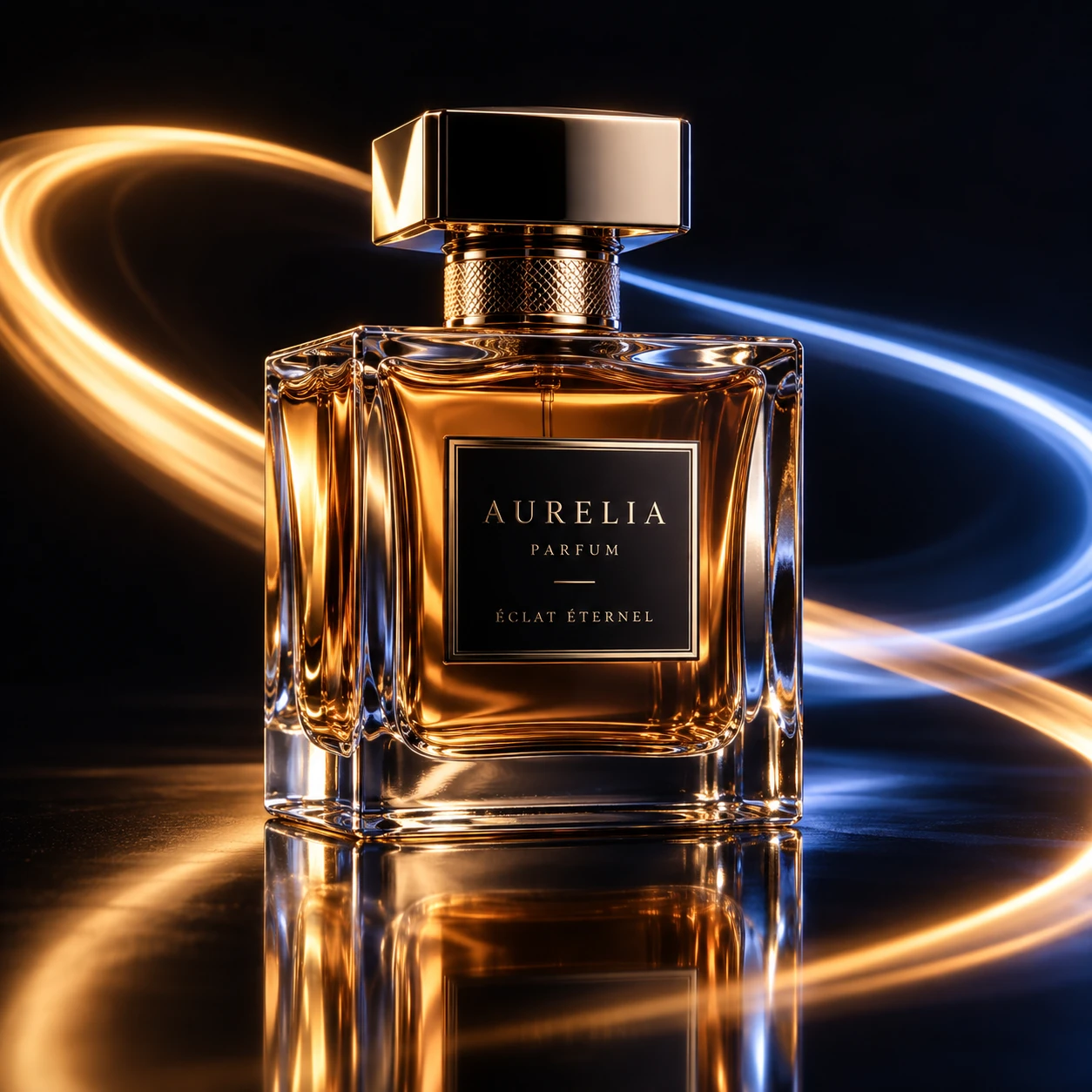
Light painting uses a moving light source during a long exposure to shape illumination or create controlled trails in a photograph. In commercial photography, the technique can make a product feel sleek, energetic, handcrafted, or atmospheric while keeping the product itself clear enough to recognize.
The key is to treat light painting as a lighting method with a purpose, not an effect added at the end. Start with the client brief, decide what the image needs to communicate, and build a repeatable setup around that goal.
What Light Painting Adds to Commercial Images
Light painting adds controlled highlights, reflections, or light trails that help direct attention to a product and reinforce its visual character. Used with restraint, it can create a distinctive campaign image without obscuring the item or its defining details.
A moving light source can skim across a watch case to reveal its finish, trace the edge of a bottle, or add a bright arc behind a pair of headphones. A long exposure records that movement, while the camera remains fixed on a tripod. The result may combine a sharply defined product with a fluid trail or selectively illuminated surface.
Different light qualities suggest different product attributes. A narrow, crisp highlight can make polished metal feel precise; a broad, soft source can show the curves of a cosmetic container; a colored trail can support a brand palette or campaign concept. These choices should serve the product’s form and message, not compete with them.
Commercial use also brings practical limits. Strong reflections can reveal unwanted studio clutter, and busy trails can reduce space for a headline or price. Before shooting, check how the image will be cropped and where copy or a logo may sit. Light painting works best when visual impact and commercial clarity are planned together.
Choose the Right Subject and Creative Approach
Light painting suits products with interesting contours, reflective finishes, or a clear link to motion, craft, or technology. Choose an approach that matches the target audience and client brief, then keep the product’s essential features easy to read.
Common subjects include glass bottles, jewelry, watches, electronics, footwear, automotive details, and premium packaging. Light can reveal their shape or surface, but highly reflective objects need careful control: a light source may appear in the product as a hard stripe, a distorted hotspot, or an unwanted reflection. Matte products often benefit more from grazing light that reveals texture than from visible trails.
Translate the brief into a simple visual decision before setting up:
- What should the viewer notice first? A logo, material, silhouette, or functional detail?
- What mood fits the brand? A clean, precise outline differs from an expressive colored sweep.
- Where will the image appear? A wide website banner needs different negative space from a square social post or a tightly cropped product listing.
For example, a client launching a compact speaker might want a sense of sound and movement. A restrained arc behind the product can suggest energy, while keeping the speaker grille and controls plainly visible. The creative idea earns its place only if it helps the viewer understand the product.
Essential Gear and Studio Setup
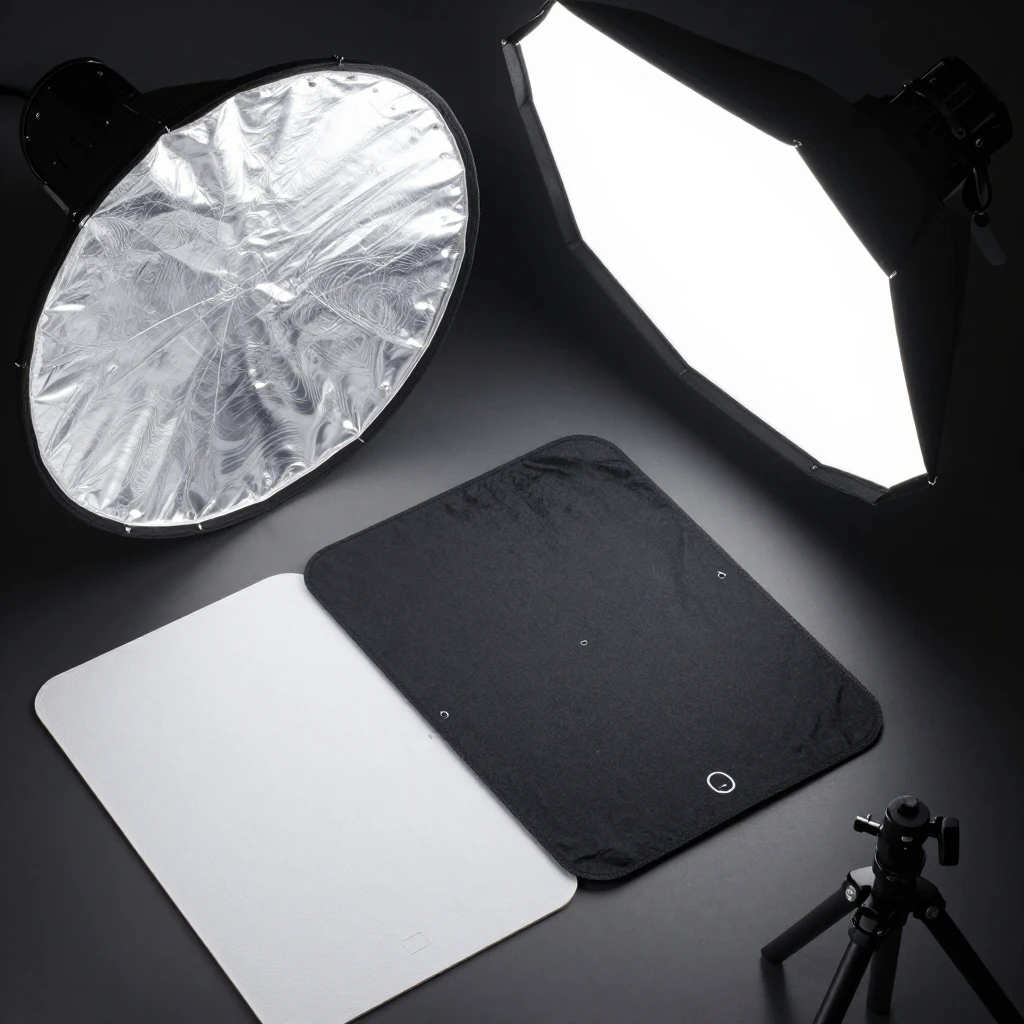
A basic commercial light-painting setup needs a camera with manual controls, a sturdy tripod, a controllable light source, and a space where ambient light can be managed. Add flags, a remote release, and a test surface when the product’s reflections or finish demand tighter control.
Useful light sources include small LED lights, flashlights, LED wands, and compact panels. A diffuser or strip of translucent material can soften a harsh beam; colored gels can introduce a deliberate accent. Choose a source that is easy to move smoothly and repeat consistently. A very bright light may be difficult to control during a long exposure.
Secure the camera on a tripod and switch off or block stray room light. Keep the product in a stable position, mark its placement, and clear walkways before moving around in the dark. If the light operator cannot see safely, add low-level work lighting between exposures and turn it off before each frame.
For reflective product photography, the studio is part of the image. Use black cards to create dark edges and white cards to create clean highlights; move them in small increments and inspect how each change appears on the product. Avoid pointing a bright source toward people’s eyes, and keep cables, stands, and hot lamps away from paths. Safety and repeatability matter as much as the camera kit.
Camera Settings and Light-Painting Techniques
Use manual camera settings so exposure stays predictable from frame to frame. Begin with a long exposure, a low ISO, and an aperture that gives the product the depth of field it needs, then adjust based on test images rather than relying on one universal setting.
Set the camera to manual exposure and focus. A useful starting point might be ISO 100, an aperture around f/8, and a shutter speed of several seconds, but the right values depend on the light’s brightness, the product, and the desired trail. Longer exposures allow more movement and ambient light to register; they also increase the risk of stray light, unwanted reflections, or a washed-out background.
Focus with the room lights on, using autofocus or magnified live view on a key product detail. Once focus is sharp, switch to manual focus so the lens does not hunt in darkness. Use a remote release or camera timer to reduce vibration. Take a test frame with the light source stationary, then review exposure and focus at full magnification.
Three practical ways to paint the light
- Outline: Move a small light around the product’s silhouette to define its shape. Keep the source pointed toward the product, not the lens, unless you intentionally want a visible trail.
- Selective illumination: Sweep light across one area at a time, such as a label or metal edge. Block the beam from other surfaces when you need clean separation.
- Background trail: Move a colored light behind the subject to add motion or atmosphere. Keep the trail away from logos and important product details.
Change one variable at a time: shutter duration, light distance, movement speed, or brightness. This makes exposure easier to diagnose and helps you reproduce a successful frame.
Plan and Execute a Commercial Shoot
To execute a commercial light-painting shoot, translate the brief into a shot plan, lock down the camera and product position, test the light, and record each successful setup. A simple repeatable workflow saves time and makes it easier to deliver a consistent image series.
- Make a shot list. Note the required angles, crops, product details, background, and space needed for text or branding.
- Build and compose the set. Clean the product, position it, check reflections, and frame slightly wider than the final crop if the client may need alternate formats.
- Lock focus and exposure. Set manual focus and capture a baseline frame before moving the light.
- Run controlled tests. Try one light path at a time. Review the product’s surface, the trail, and the overall exposure after each frame.
- Record what works. Write down camera settings, light position, movement path, and timing, or take a reference photo of the setup.
For consistent results across a series, keep the tripod, product, and camera settings fixed. Use floor marks for the product and tripod, and a simple timing cue for the light operator, such as starting the movement on the shutter click. If the light trail varies, slow the movement, rehearse the path, and use a fixed-duration exposure. Changing too many things between frames makes comparisons difficult.
Common errors are easy to fix once you identify their cause. A trail that crosses a logo usually needs a revised path or a separate exposure. A product that looks muddy may need a static highlight or a white card, not a longer shutter. If a reflection shifts unpredictably, move the light or flag rather than changing camera exposure alone.
Refine Images and Deliver for the Brief
Refine the selected images by balancing exposure, color, contrast, and distracting reflections while preserving the product’s real appearance. Deliver files in the formats and crops the client requested, with a clear connection between each image and its intended commercial use.
Review a contact sheet first. Compare images for product clarity, trail shape, composition, and consistency, then inspect finalists at full size for dust, focus, clipped highlights, and uneven color. Light painting can create several exposures that work together: one frame may have the cleanest product, while another has the best trail. Combining frames can be practical, but keep the composite faithful to the product and the client’s expectations.
Retouch cautiously. Remove sensor spots or small set distractions, correct white balance, and make modest tonal adjustments. Avoid altering a product’s color, finish, or features in ways that could misrepresent it, especially for e-commerce or regulated product categories. Ask the client how the images will be used if licensing, disclosure, or technical delivery requirements are unclear.
Before delivery, check resolution, file format, naming, crop variations, and any usage specifications in the brief. A polished image should work in its actual placement, not only in a full-screen preview. The most effective commercial light painting is the version that makes the product easier to notice and understand.
Frequently Asked Questions
What equipment is needed for commercial light painting?
Start with a camera that offers manual exposure and focus, a stable tripod, a remote release or timer, and a controllable light source such as an LED wand or flashlight. Reflector cards, flags, and gels help shape highlights and reflections for product photography.
How do you focus during a long exposure?
Focus while the set is illuminated, using autofocus or magnified live view on a key detail. Then switch to manual focus to prevent the lens from searching in the dark, and keep the camera and product position fixed.
Which products work well with light painting?
Products with distinctive silhouettes, contours, or finishes often respond well, including watches, glass bottles, jewelry, electronics, and footwear. Reflective products can look striking but require careful control of the light and surrounding cards.
How can you keep light trails consistent across a series?
Mark the camera and product positions, keep exposure settings fixed, rehearse the same light path, and use a timing cue for each frame. Record the setup so you can repeat it after a break or recreate it for another product.